
Are you looking for your Aniimo OpenID? This guide explains how to find and copy your character’s OpenID so you can top up Lumin Crystals correctly.
What Is an Aniimo OpenID?
An OpenID is a unique character identifier used in Aniimo’s top-up system. It ensures that Lumin Crystals are delivered to the correct character. Each character has a different OpenID.
Your OpenID is not a password and cannot be used to log in to your account.
Method 1: Find Your Aniimo OpenID via Email OTP
1.
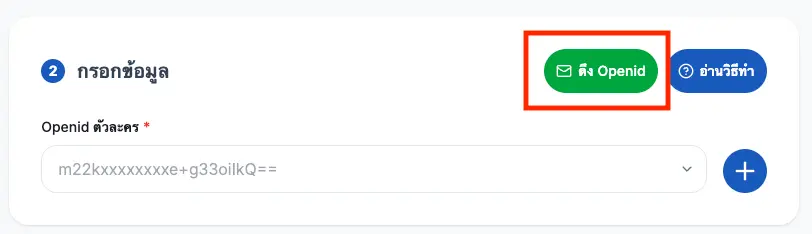
2.
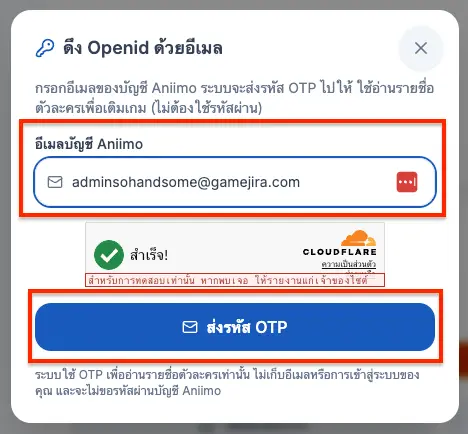
3.
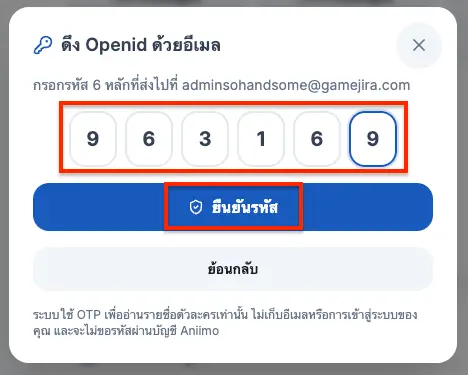
4.
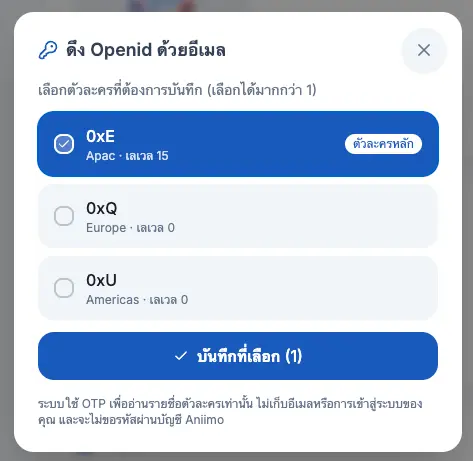
5.
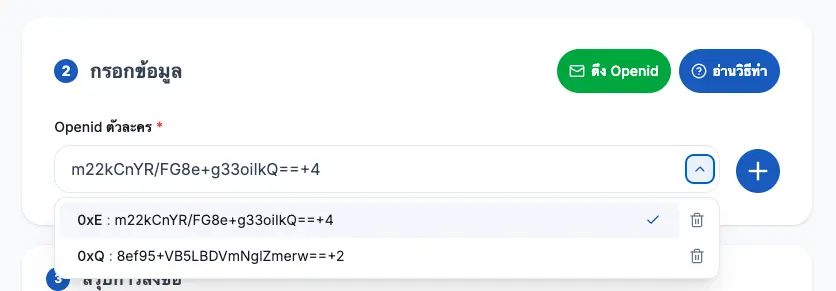
Method 2: Find Your Aniimo OpenID Using the Bookmarks Bar
This setup only needs to be completed once and must be done on a computer using Chrome or Edge.
[[aniimo-openid-button]]
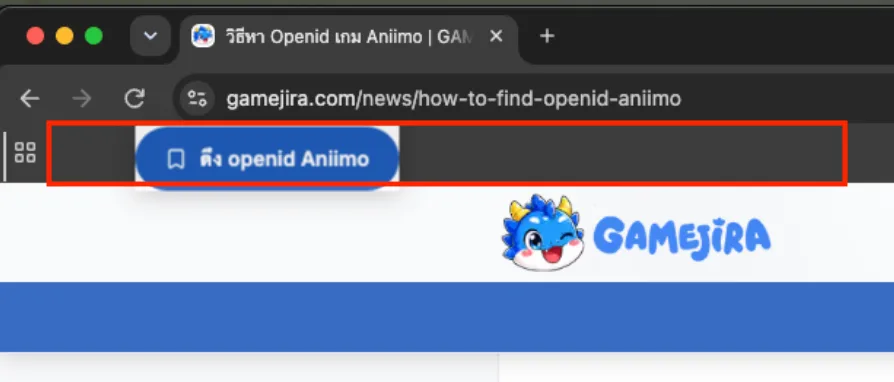
1. Press Ctrl + Shift + B on Windows or Cmd + Shift + B on Mac to display the bookmarks bar.
2. Drag the “Get Aniimo OpenID” button above to the bookmarks bar, as shown in the red box in the image.
3. Open the [official Aniimo Store](https://aniimo.com/store/th/) and sign in with your game account.
4. Click the “Get Aniimo OpenID” bookmark that you added in the previous step.
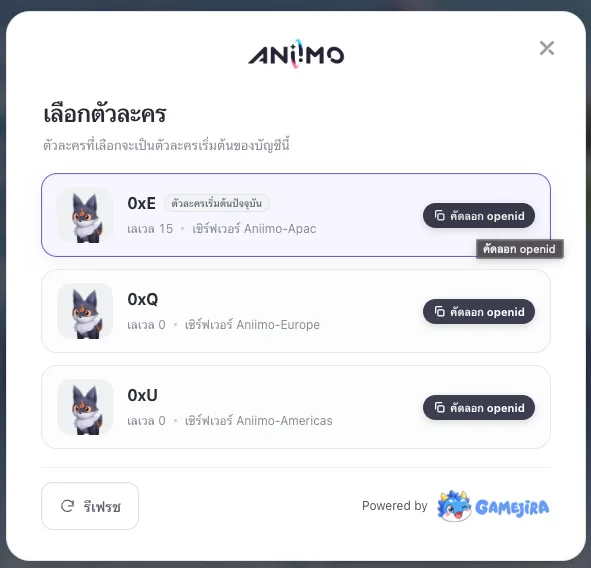
5. When the character selection window appears, click “Copy OpenID” next to the character you want to top up.
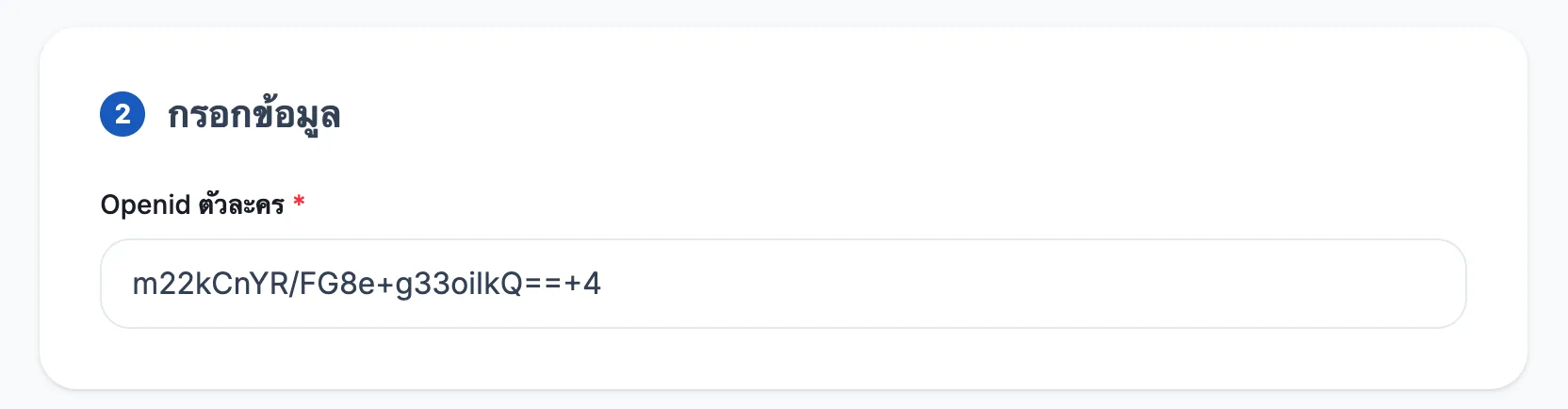
6. Return to the [Aniimo top-up page](https://gamejira.com/direct-topup/aniimo) and paste the code into the Aniimo Character OpenID field. Check that the OpenID and character are correct before placing your order.
Is the OpenID Retrieval Tool Safe?
The “Get OpenID” button only reads your character’s OpenID from the [aniimo.com](https://aniimo.com) page where you are currently signed in. It cannot access your password or send your information anywhere else. Our store will never ask for your Aniimo account password or OTP.
What Should I Do If I Cannot Find My Aniimo OpenID?
If you are unable to find your OpenID after following these steps, please contact our support team. Our staff will be happy to assist you.