There are several ways to top up Robux, including purchasing directly through the official Roblox website or using Roblox Gift Cards available from general retailers such as convenience stores. However, if you are looking for a cheaper and more convenient way to buy Robux and receive it quickly, using a trusted online game top-up service is another popular option.
At GAMEJIRA, we provide Robux top-up services through a secure system with a wide range of packages at competitive prices. Our team checks and processes every order carefully to make sure customers receive their Robux quickly and correctly, without needing to travel to purchase a gift card or pay a higher price through other channels.
Today, we will show you how to top up Robux with GAMEJIRA in a few simple steps.
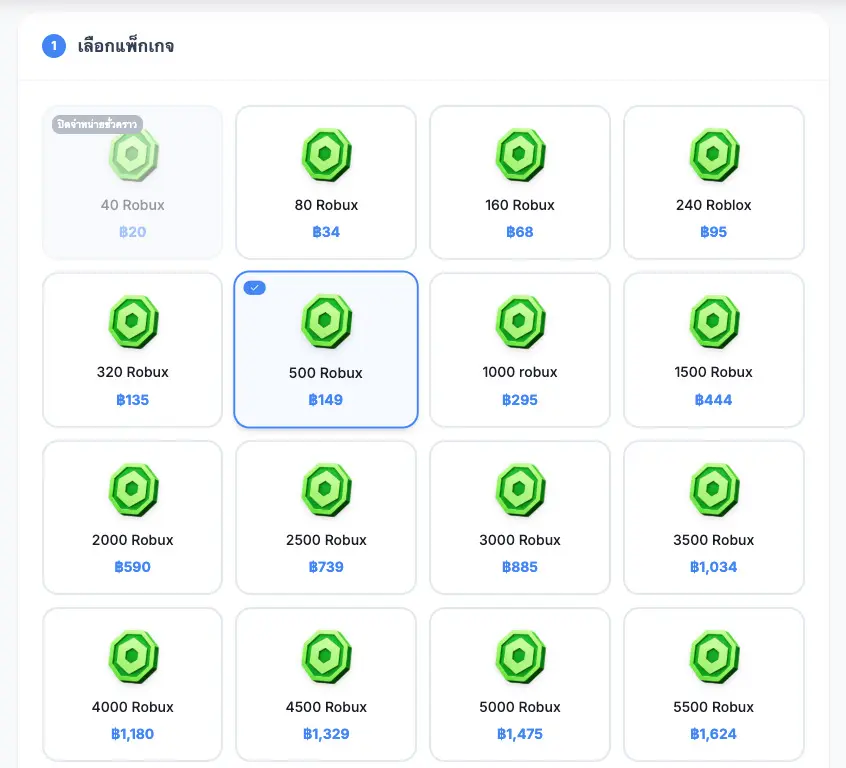
Step 1: Choose Your Robux Package
Go to the product page at https://gamejira.com/idpass-top-up/roblox and select the amount of Robux or the package you would like to purchase. Packages are available from 20 Robux up to more than 29,000 Robux.
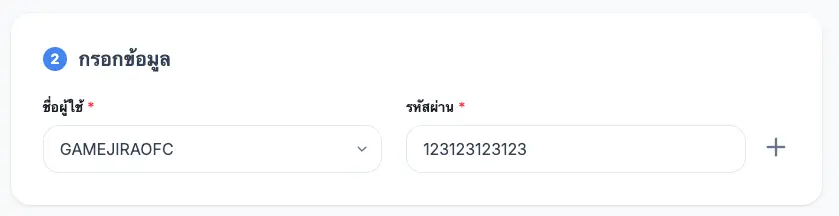
Step 2: Enter Your Roblox Account Details
Enter the Roblox account information requested by the system, such as the username and password used to sign in to the game. Customer information will only be used to complete the top-up process.
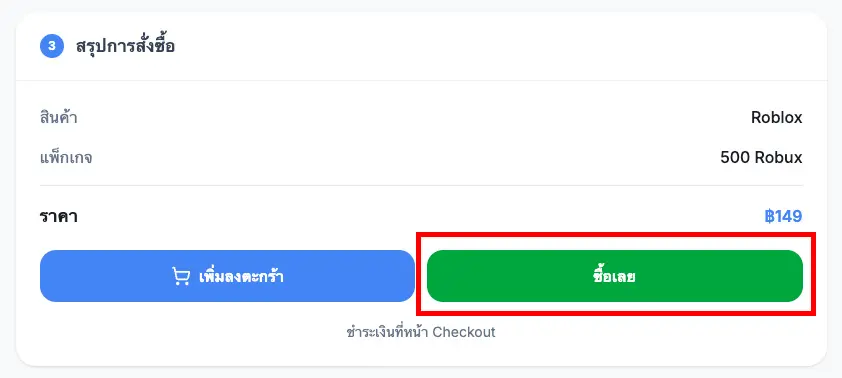
Step 3: Review Your Order
Check the Robux amount, price, and account information carefully before placing your order.
Step 4: Make a Payment
Choose your preferred payment method and pay the exact amount shown. Available payment methods include store credit, PromptPay, and TrueMoney Wallet. The system will automatically confirm your order after payment is completed.
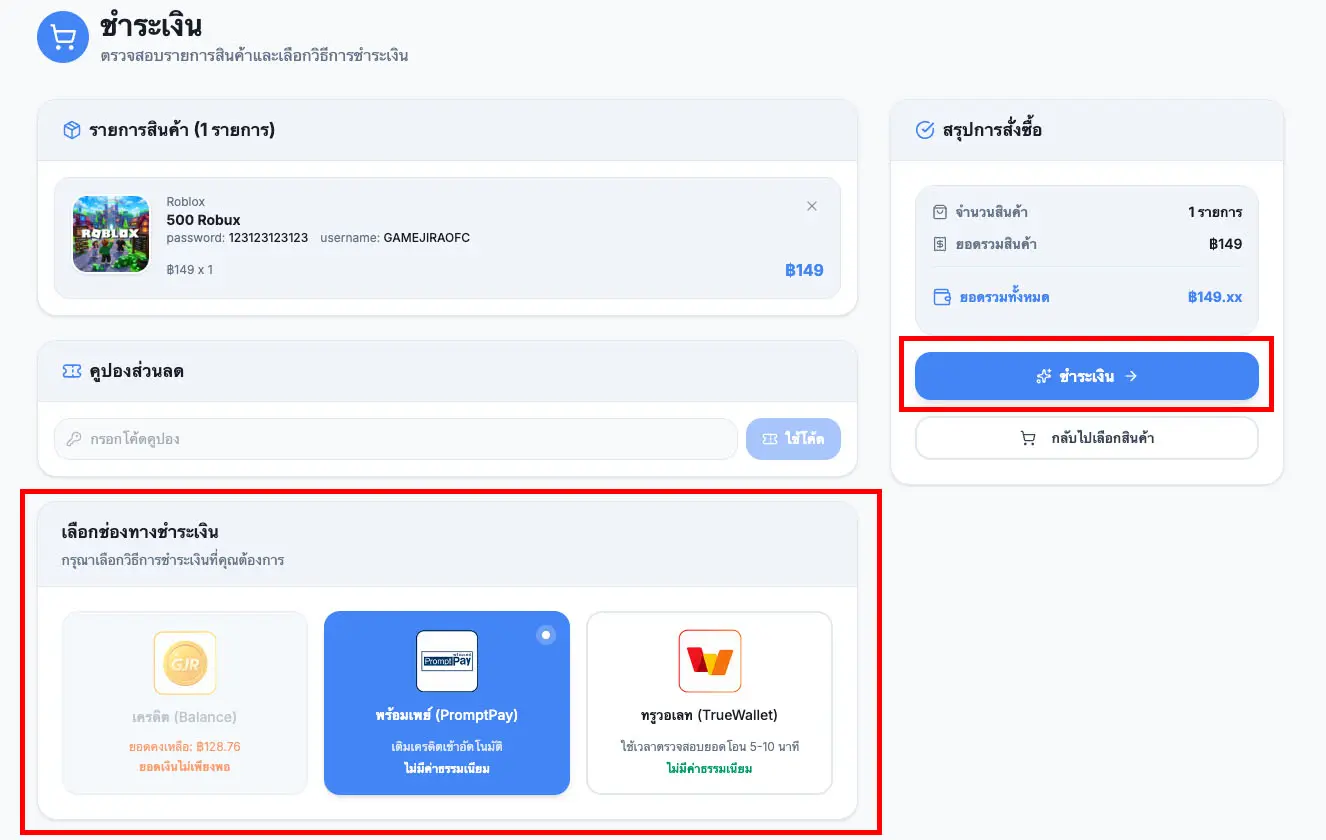
Step 5: Complete the Payment
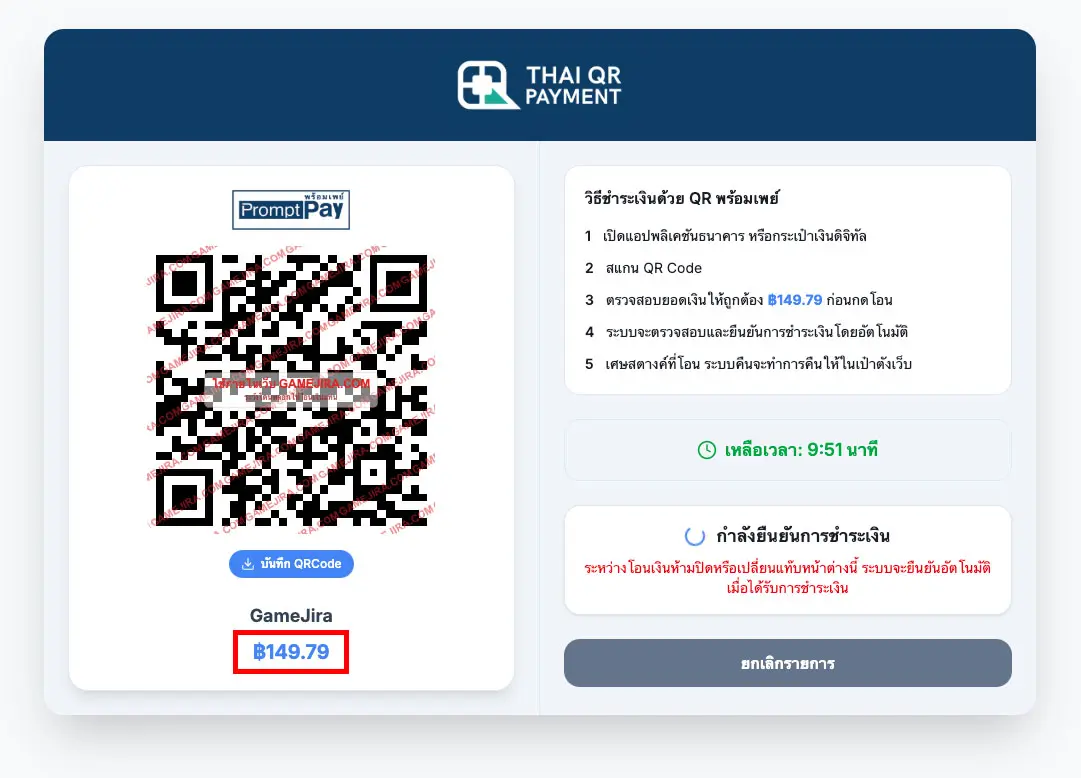
- If you choose PromptPay, transfer the exact amount shown. Do not round the payment amount.
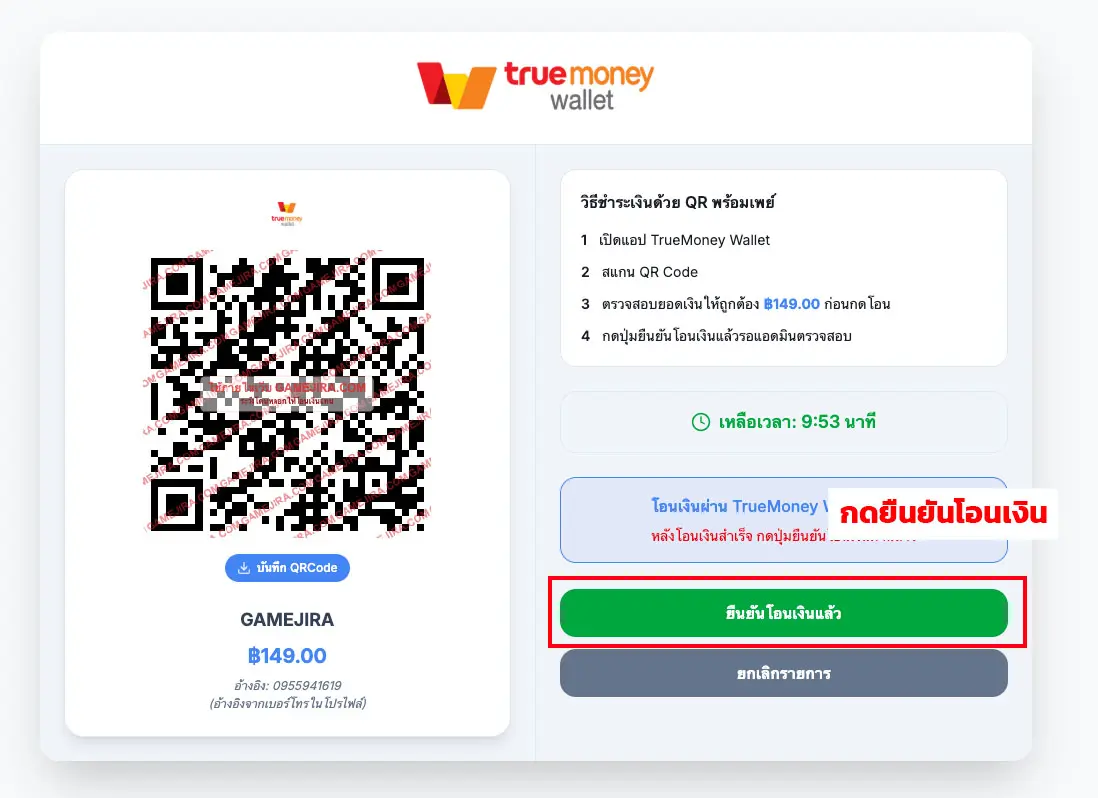
- If you choose TrueMoney Wallet, transfer the exact amount shown without rounding, then confirm the payment.
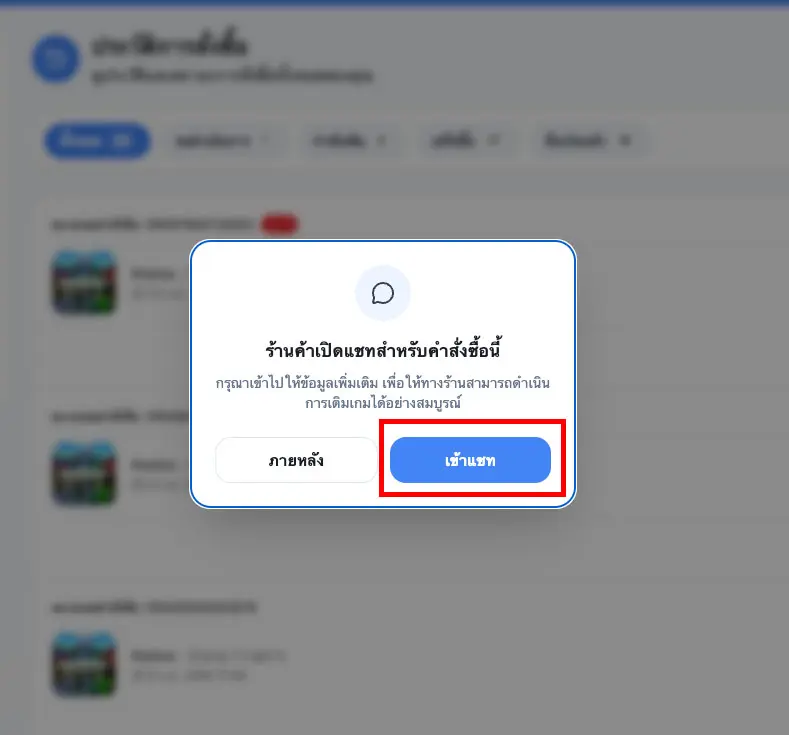
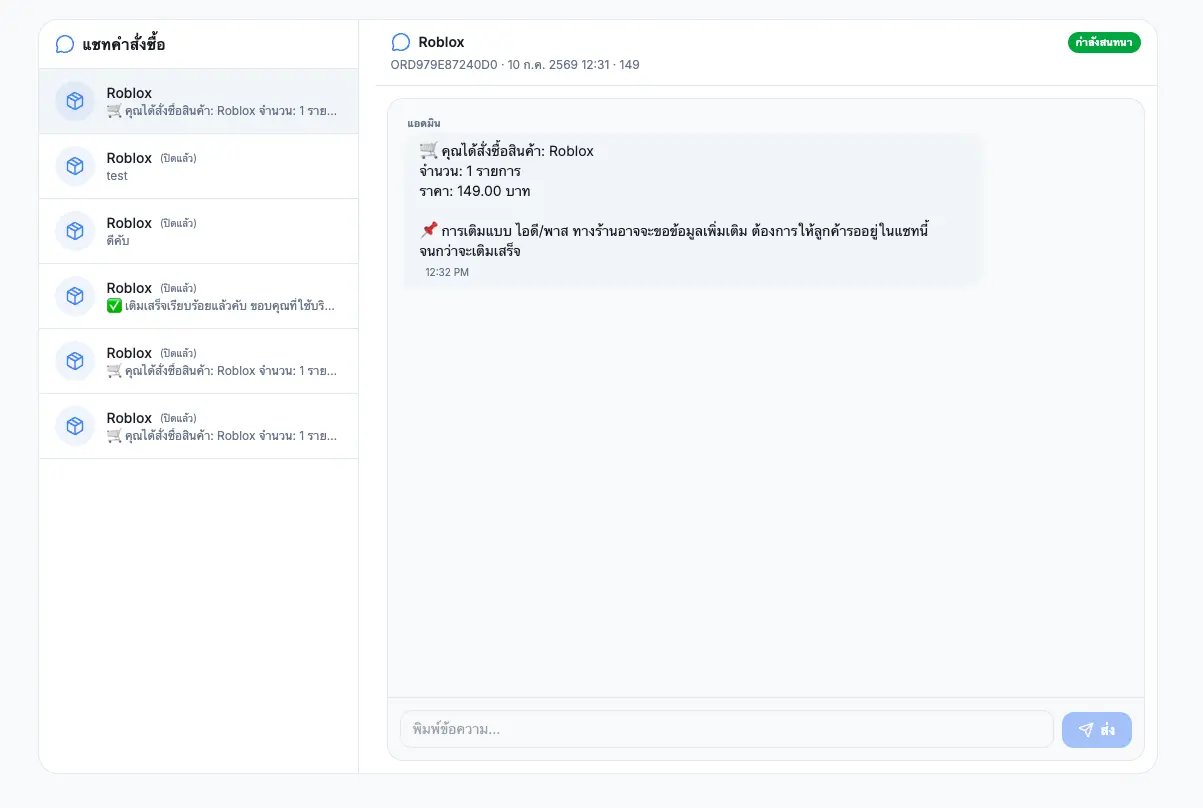
Step 6: Open the Order Chat
After completing the payment, open the order chat to contact the administrator. Since this Robux top-up method uses your Roblox login details, the administrator may occasionally need to request additional information from you.
Step 7: Receive Robux and Start Playing
Once the top-up is completed, the Robux will be added to your Roblox account. You can then use it to purchase items, skins, Game Passes, or a Roblox Premium membership.
That’s all! You will receive Robux at an affordable price, helping you save more compared with regular top-up methods. You can immediately use your Robux to purchase items, skins, Game Passes, or subscribe to Roblox Premium.